Why customize TRMNL OG?
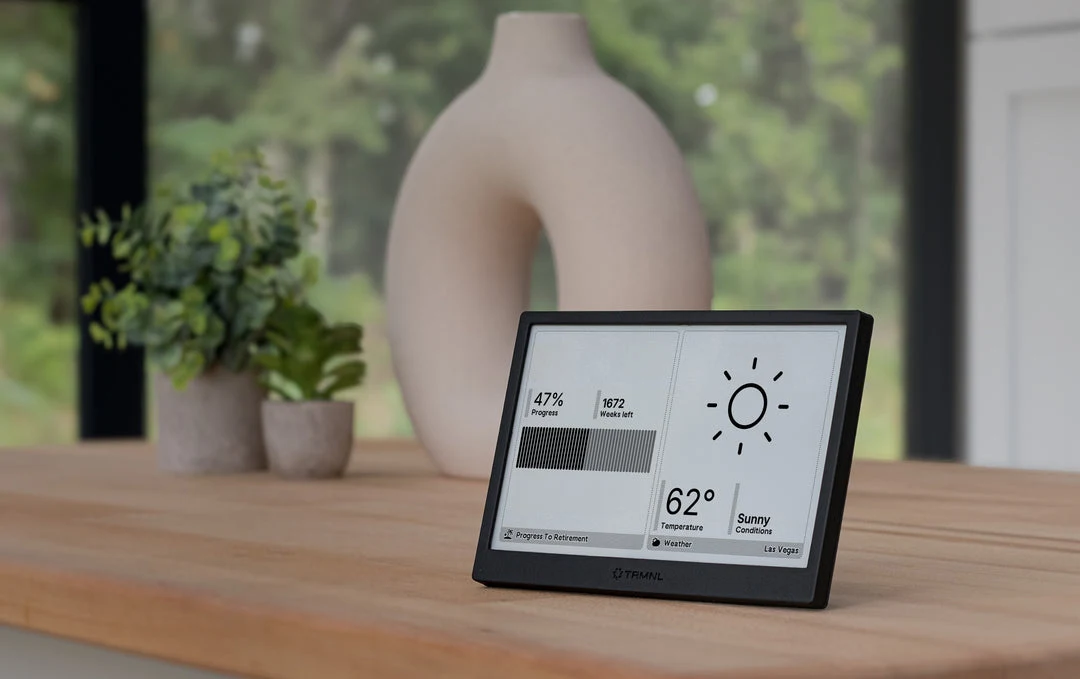
TRMNL is a finished e-paper display built around plugins: layouts that turn information into a glanceable screen. Its developer platform supports HTML, CSS, Liquid templates, shared recipes, and self-hosting routes. Official agent skills and an MCP server make it a particularly direct route from a coding-agent conversation to a physical dashboard.
A good fit for
Glanceable dashboards using web-style templates and a plugin ecosystem.
Not the right fit for
Interactive web browsing, animation, or assuming every developer feature is included.
Compatibility
- Exact hardware
- OG model · ePaper display
- Software route
- HTML / CSS / Liquid
- Where code runs
- The chosen hosted or self-hosted route prepares content for the periodically refreshed display.
- Development tools
- A laptop, a coding agent such as Claude Code or Cursor, and the tools listed in the guide.
- Evidence
- Official docs. Not hands-on tested.
Project ideas
- 01A personal workday briefing
- 02A reading list or daily quote
- 03A single-number dashboard for a side project
Guides & code
Getting started
- 01
Try an existing recipe
Set up the finished device and install a simple plugin first. This confirms connectivity before you start debugging your own layout.
- 02
Build a small custom plugin
Use the official developer documentation and design framework. Begin with a static HTML/Liquid layout and preview it before connecting private data.
- 03
Connect one useful source
Add data through the documented plugin mechanism. Keep credentials in the appropriate private configuration and display a timestamp with the result.
Starter prompt
Help me build a TRMNL private plugin using the official framework and agent skills. First confirm my device model, available plugin features, and chosen data source. Make an e-paper-friendly layout with strong contrast, no animation, and a last-updated label. Use mock data for the first preview and do not ask me to paste tokens into public markup.
Confirm your exact hardware before running device-changing commands.
Common questions
Can I build TRMNL plugins with Claude Code or Cursor?
TRMNL publishes official agent skills alongside its developer documentation. An agent can help build a layout, but you must still configure data sources and the appropriate account features.
Does TRMNL require a subscription?
Do not infer current terms from a device listing. Hosted developer features, BYOD licenses, and self-hosting are different routes; verify the terms for the one your project needs.
Where can I buy TRMNL OG?
Use the official buying or compatibility link below. The Amazon button opens a search, not a confirmed product listing. Select the OG model. Confirm which developer features and service options are included in your purchase before ordering.