WHAT IT IS / WHAT IT COULD BE
Why customize Stream Deck MK.2?
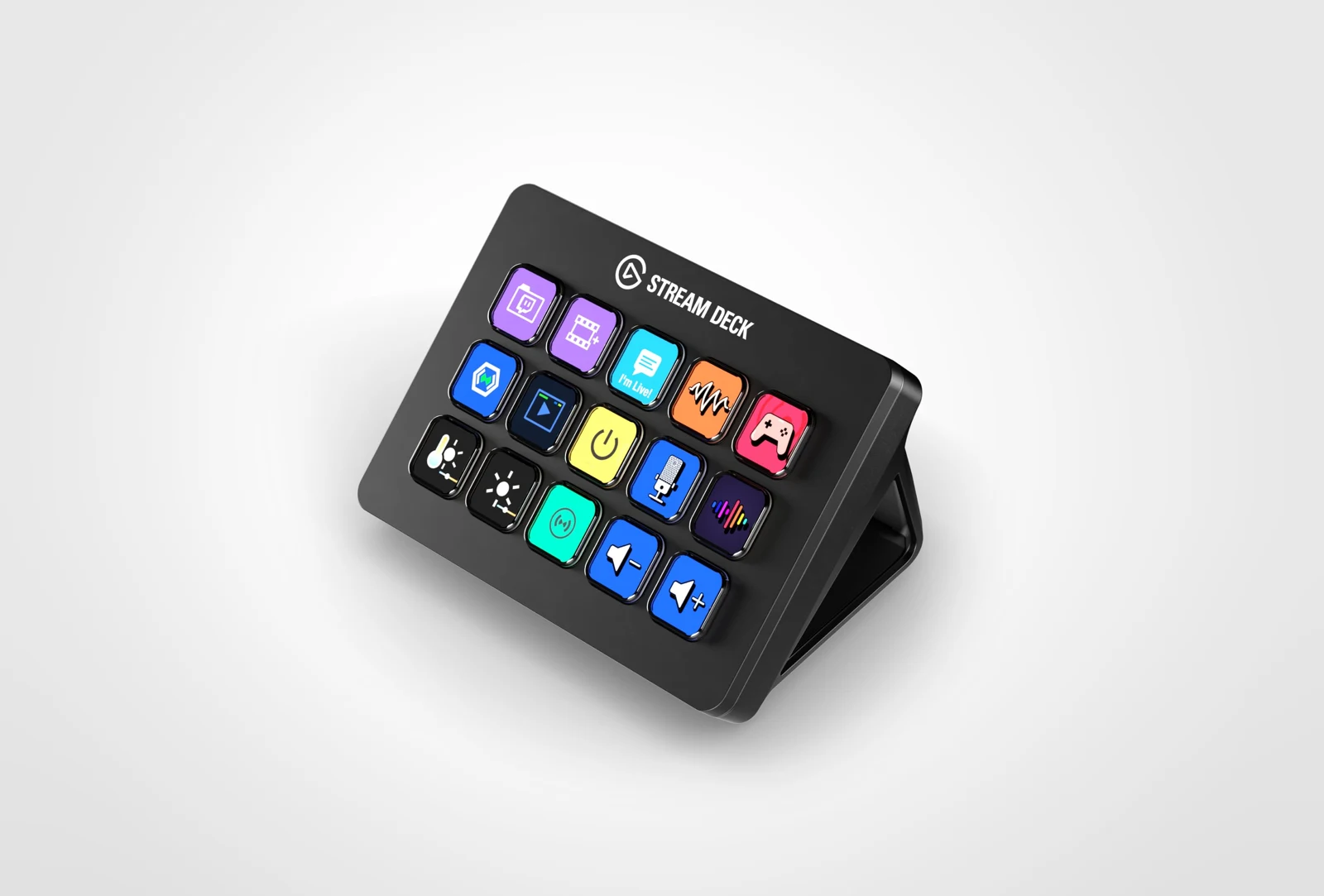
Stream Deck MK.2 has fifteen customizable LCD keys and runs through Elgato's desktop software. Its official SDK lets you build a plugin that reacts to presses and updates the keys. A coding agent can help scaffold the plugin and connect it to a local tool or service; the logic runs on the attached computer, not as a standalone application inside the deck.
A good fit for
Physical shortcuts and live status buttons for software you already use.
Not the right fit for
A standalone button that works without an attached computer.
THE DETAILS THAT MATTER
Compatibility & how it works.
- Exact hardware
- MK.2 · 15 LCD keys
- Software route
- Node.js / plugin SDK
- Where code runs
- Your plugin runs through Stream Deck software on the connected computer, not inside the deck as an independent app.
- Development tools
- A laptop and a coding agent such as Claude Code or Cursor, plus the tools required by the linked guide. A coding subscription does not include hardware or third-party services.
- Evidence
- Official docs; source-backed, not hands-on tested by Atoms for Agents.
START WITH ONE USEFUL THING
Stream Deck MK.2 project ideas.
- 01One button to start a focus session
- 02A live status key for your side project
- 03A physical control panel for your own software
These are project ideas, not completed builds we have tested. Start with the first working example in the documentation before adding private data or unattended behavior.
CREDIT TO THE MAKERS
Guides, code & documentation.
Follow the original authors for the current instructions. These are the sources for this guide—not a claim that every setup has been independently tested.
A SENSIBLE FIRST PROJECT
How to get started with Stream Deck MK.2.
Planning notes, not a replacement for the linked technical instructions.
- 01
Set up a normal key first
Install the desktop software and confirm the device works with a built-in action.
- 02
Scaffold the example plugin
Follow Elgato's getting-started guide and keep its sample action working before adding a service.
- 03
Give one button a useful job
Add a harmless local action, then a status indicator. Keep keys and tokens out of the distributed plugin bundle.
TAKE THIS TO YOUR CODING AGENT
Help me create a Stream Deck MK.2 plugin with the current official SDK. First check the required desktop software and Node.js versions. Start with one harmless button and a visible success/error state. Explain where the plugin runs and require confirmation before any destructive or externally visible action.
A starting brief for Claude Code, Cursor, or your preferred tool. Confirm exact hardware before running device-changing commands.
BEFORE YOU GO FURTHER
Stream Deck MK.2: common questions.
Can Claude Code or Cursor build a Stream Deck plugin?
They can help scaffold and explain a plugin using Elgato’s current SDK. You still need the supported desktop software, Node.js tooling, and local testing on your computer.
Does Stream Deck MK.2 work without a computer?
Not for the plugin route described here. The deck depends on the attached computer and Stream Deck software. For hub-based logic, compare Flic Button + Hub LR.
Where can I buy Stream Deck MK.2?
An Amazon listing is linked as a starting point, not a guarantee of stock or compatibility. The linked manufacturer page is regional; select your country before shopping. Choose MK.2, and check the current Stream Deck software and SDK requirements for your operating system.