WHAT IT IS / WHAT IT COULD BE
Why customize Flic Button + Hub LR?
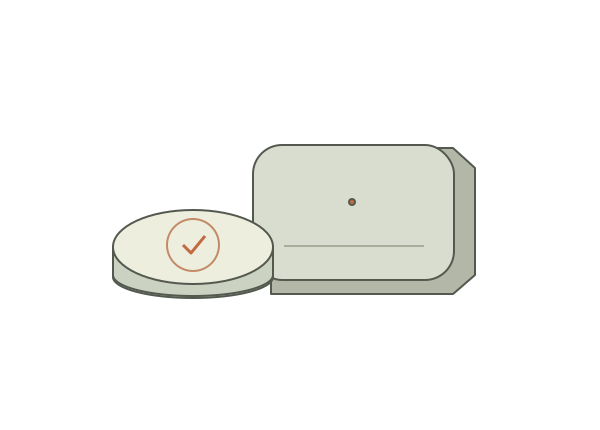
Flic Hub Studio lets you create JavaScript modules that run on Flic Hub LR. The button becomes an input to your own logic, which can make HTTP requests or interact with supported systems. It is an approachable way to give a familiar household button a purpose beyond the built-in integration list.
A good fit for
A wireless physical trigger with custom logic on a supported hub.
Not the right fit for
Buying only a button or substituting Hub Mini for this Studio route.
THE DETAILS THAT MATTER
Compatibility & how it works.
- Exact hardware
- Flic 2 button with Flic Hub LR
- Software route
- FlicScript / JavaScript
- Where code runs
- JavaScript modules run in the supported FlicScript environment on Hub LR.
- Development tools
- A laptop and a coding agent such as Claude Code or Cursor, plus the tools required by the linked guide. A coding subscription does not include hardware or third-party services.
- Evidence
- Official docs; source-backed, not hands-on tested by Atoms for Agents.
START WITH ONE USEFUL THING
Flic Button + Hub LR project ideas.
- 01A button that logs a completed habit
- 02A physical start/stop control for a focus timer
- 03A custom light or music scene
These are project ideas, not completed builds we have tested. Start with the first working example in the documentation before adding private data or unattended behavior.
CREDIT TO THE MAKERS
Guides, code & documentation.
Follow the original authors for the current instructions. These are the sources for this guide—not a claim that every setup has been independently tested.
A SENSIBLE FIRST PROJECT
How to get started with Flic Button + Hub LR.
Planning notes, not a replacement for the linked technical instructions.
- 01
Pair button and hub
Follow Flic's setup and confirm a normal button action works.
- 02
Open Hub Studio
Use the official getting-started guide to connect to Hub LR and create a small module.
- 03
Handle a harmless press
Start with logging or a status request. Add safeguards against accidental repeated presses before connecting consequential actions.
TAKE THIS TO YOUR CODING AGENT
Help me write a Flic Hub Studio module for a Flic 2 button and Flic Hub LR. Use the documented FlicScript modules, not assumed Node.js packages. Start by logging a button press, then add my chosen harmless action with duplicate-press handling and private credential storage.
A starting brief for Claude Code, Cursor, or your preferred tool. Confirm exact hardware before running device-changing commands.
BEFORE YOU GO FURTHER
Flic Button + Hub LR: common questions.
Can I use Flic Hub Mini for Hub Studio?
Not for the route documented here. This guide calls for Flic Hub LR. A product bundle with Hub Mini is not an equivalent purchase.
Do I need to leave my laptop running?
Hub Studio modules run on Hub LR, not on your laptop. A module can still depend on external services or computers it calls, and those dependencies need to stay available.
Where can I buy Flic Button + Hub LR?
An Amazon listing is linked as a starting point, not a guarantee of stock or compatibility. This project route requires Flic Hub LR as well as the button. Hub Mini is not compatible with Flic Hub Studio. Check the selected bundle before ordering.