WHAT IT IS / WHAT IT COULD BE
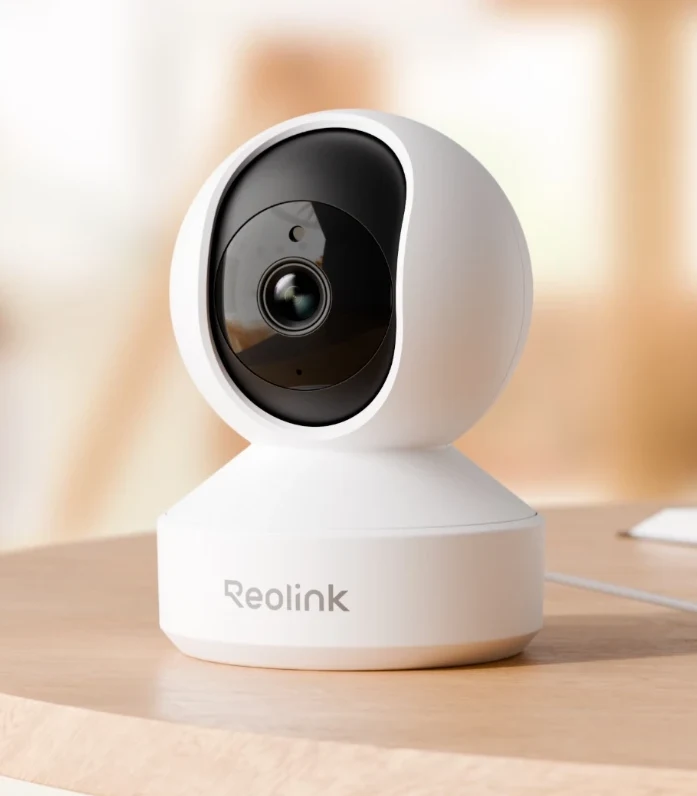
Why customize Reolink E1 Pro?
Reolink's current compatibility matrix lists E1 Pro/E330 with standalone CGI, RTSP, and ONVIF support. That provides a documented way to connect your own software to a finished camera. Your custom viewer or processing generally runs on another machine; this is not a firmware-unlock tutorial or a claim that the camera runs arbitrary code.
A good fit for
A private local viewer or time-lapse tool around a supported camera stream.
Not the right fit for
Installing arbitrary apps on the camera or exposing its feed publicly.
THE DETAILS THAT MATTER
Compatibility & how it works.
- Exact hardware
- E1 Pro / E330 · verify hardware revision
- Software route
- RTSP / ONVIF / CGI
- Where code runs
- The camera supplies a stream; your viewer, recording, or analysis runs on another machine.
- Development tools
- A laptop and a coding agent such as Claude Code or Cursor, plus the tools required by the linked guide. A coding subscription does not include hardware or third-party services.
- Evidence
- Official docs; source-backed, not hands-on tested by Atoms for Agents.
START WITH ONE USEFUL THING
Reolink E1 Pro project ideas.
- 01A local camera viewer on a home dashboard
- 02A time-lapse project for your own workspace
- 03A private software experiment using a camera feed
These are project ideas, not completed builds we have tested. Start with the first working example in the documentation before adding private data or unattended behavior.
CREDIT TO THE MAKERS
Guides, code & documentation.
Follow the original authors for the current instructions. These are the sources for this guide—not a claim that every setup has been independently tested.
A SENSIBLE FIRST PROJECT
How to get started with Reolink E1 Pro.
Planning notes, not a replacement for the linked technical instructions.
- 01
Verify exact hardware
Check the device information and official compatibility table before enabling third-party access.
- 02
Test the local stream
Use the manufacturer's VLC guide to confirm a stream on your local network, with credentials kept private.
- 03
Build around a working feed
Ask your coding agent for a local viewer or time-lapse tool. Define where recordings live and how they are deleted before capturing anything.
TAKE THIS TO YOUR CODING AGENT
Help me build a private local viewer for my Reolink E1 Pro. First ask for its hardware revision, confirmed protocol support, and the computer that will run the viewer. Keep camera credentials server-side, do not expose ports to the internet, and do not record audio or video until I explicitly choose storage and retention.
A starting brief for Claude Code, Cursor, or your preferred tool. Confirm exact hardware before running device-changing commands.
BEFORE YOU GO FURTHER
Reolink E1 Pro: common questions.
Does every Reolink E1 support RTSP?
No. E1 and E1 Pro are not interchangeable. Match the E1 Pro/E330 hardware revision to Reolink’s current protocol matrix before relying on standalone access.
Can I use this camera feed in a web dashboard?
Yes, with software that handles the confirmed stream format. A browser may need a server-side bridge; keep credentials on that server and access restricted to authorized users.
Where can I buy Reolink E1 Pro?
An Amazon listing is linked as a starting point, not a guarantee of stock or compatibility. Verify E1 Pro/E330 and its hardware revision against the manufacturer's current matrix. E1 and E1 Pro are not interchangeable; some models need a hub.