WHAT IT IS / WHAT IT COULD BE
Why customize Home Assistant Voice?
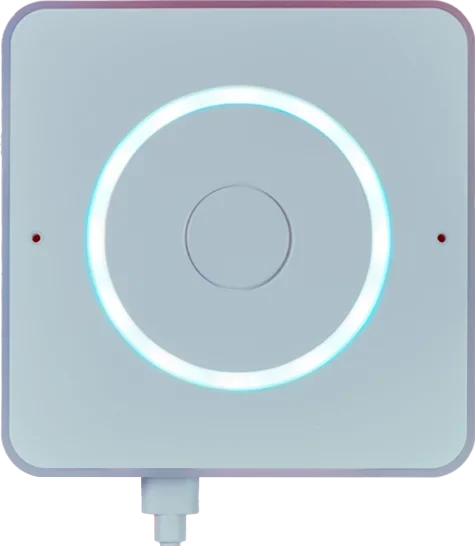
Home Assistant Voice Preview Edition is an enclosed voice satellite with microphones, a speaker, physical controls, and open-source ESPHome firmware. A coding agent can help write Home Assistant automations, custom sentences, and configuration. Speech processing and optional language-model services run elsewhere; this small device is not a standalone computer running a full coding agent.
A good fit for
Custom voice commands in a home that already runs Home Assistant.
Not the right fit for
A standalone speaker that includes every speech or AI service.
THE DETAILS THAT MATTER
Compatibility & how it works.
- Exact hardware
- Preview Edition
- Software route
- Home Assistant / ESPHome
- Where code runs
- Voice capture happens on the device; Home Assistant and the chosen speech services do the processing elsewhere.
- Development tools
- A laptop and a coding agent such as Claude Code or Cursor, plus the tools required by the linked guide. A coding subscription does not include hardware or third-party services.
- Evidence
- Official docs; source-backed, not hands-on tested by Atoms for Agents.
START WITH ONE USEFUL THING
Home Assistant Voice project ideas.
- 01A spoken morning routine
- 02Custom voice commands for your home
- 03A desk button that starts a focus scene
These are project ideas, not completed builds we have tested. Start with the first working example in the documentation before adding private data or unattended behavior.
CREDIT TO THE MAKERS
Guides, code & documentation.
Follow the original authors for the current instructions. These are the sources for this guide—not a claim that every setup has been independently tested.
A SENSIBLE FIRST PROJECT
How to get started with Home Assistant Voice.
Planning notes, not a replacement for the linked technical instructions.
- 01
Prepare Home Assistant
Confirm that your Home Assistant installation is available and choose a supported local or cloud speech route.
- 02
Follow the setup guide
Connect power, add the Voice device, and test a built-in command before adding custom behavior.
- 03
Add a small automation
Have your coding agent help draft one custom sentence or automation. Test it with a light or status response before connecting more consequential devices.
TAKE THIS TO YOUR CODING AGENT
Help me create a Home Assistant voice automation for my Voice Preview Edition. Ask for my Home Assistant version, speech setup, and the exact entity IDs first. Start with a harmless status response or light, explain the YAML, and preserve confirmation for locks, alarms, or other consequential actions. Do not assume I have paid cloud or LLM access.
A starting brief for Claude Code, Cursor, or your preferred tool. Confirm exact hardware before running device-changing commands.
BEFORE YOU GO FURTHER
Home Assistant Voice: common questions.
Can Home Assistant Voice work fully locally?
It can use a local speech setup, but the separate host must be powerful enough for your chosen recognition tools and languages. Check current Home Assistant guidance before choosing a host.
What else do I need to buy?
You need a Home Assistant system plus a suitable USB-C cable and power supply. Optional cloud speech or language-model services may carry their own fees.
Where can I buy Home Assistant Voice?
Use the official buying or compatibility link below. The Amazon button opens a search, not a confirmed product listing. A Home Assistant system is required separately. The device does not include a USB-C cable or charger; check regional retailers and accessories.