Why customize AiPi Lite?
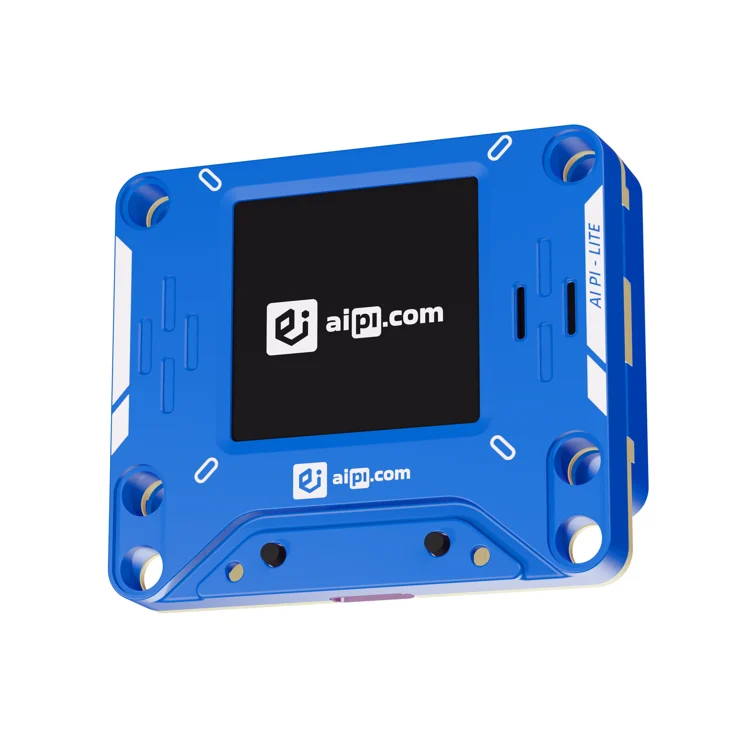
AiPi Lite is a small, finished desk device with a screen and voice features. Muse's open-source gadget SDK includes an AiPi device configuration, offering an example for developers who want to change its behavior. That is a useful starting point, but code support is not the same as an independently tested beginner tutorial.
A good fit for
A developer comfortable reading firmware configuration and testing a community SDK.
Not the right fit for
A guaranteed beginner walkthrough or automatic compatibility with every AI service.
Compatibility
- Exact hardware
- Lite · confirm revision against SDK config
- Software route
- ESP32 / community SDK
- Where code runs
- Alternate firmware uses the linked Muse-specific SDK; the connected service and device each have separate requirements.
- Development tools
- A laptop, a coding agent such as Claude Code or Cursor, and the tools listed in the guide.
- Evidence
- Community code. Not hands-on tested.
Project ideas
- 01A visual focus companion
- 02A push-to-talk desk assistant
- 03A small status display with personality
Guides & code
Getting started
- 01
Read the SDK before buying
Compare the device configuration and current README with the product revision being sold. Do not assume support from the enclosure's appearance.
- 02
Prepare a recovery plan
Understand the build, flashing, and restore steps. Keep the stock experience until you are confident that the chosen firmware supports your exact device.
- 03
Change one behavior
Start from the documented configuration rather than writing firmware from scratch. Let your coding agent help explain the project and make one small change at a time.
Starter prompt
Help me evaluate the Muse gadget SDK's AiPi Lite configuration before I flash anything. First ask for my exact hardware revision, operating system, and whether I have Muse SDK access. Read the current README and configuration, list prerequisites and recovery steps, and clearly separate documented behavior from proposed modifications. Do not claim that an untested build is compatible.
Confirm your exact hardware before running device-changing commands.
Common questions
Can I use any AI service with AiPi Lite?
Not automatically through this guide. The linked SDK targets Muse and requires its account and token. Adapting it to another provider is additional development.
Should I flash AiPi Lite immediately?
No. Match the hardware revision to the SDK configuration and establish a recovery route first. Community code support is not an independent compatibility test.
Where can I buy AiPi Lite?
Use the official buying or compatibility link below. The Amazon button opens a search, not a confirmed product listing. Verify the exact revision against the community configuration. The listed Muse project is a separate software route, not a promise that every Lite variant works unchanged.